
Driftlane
Handeln, kämpfen, Trade Lanes fliegen – in einem gemeinsamen Sternsystem.
Driftlane ist ein offenes Multiplayer-Weltraumspiel im Geist von Freelancer. Alle Piloten teilen sich das Kessel-System: Handelt zwischen fünf Stationen, jagt Piraten für Kopfgeld, rast über Trade Lanes und kauft euch bessere Schiffe und Waffen. Ihr könnt jederzeit ein- und aussteigen, euer Pilot bleibt gespeichert.
- Spieler
- 1–64 Piloten · offenes Universum
- Rundendauer
- Ohne Rundenende · Fortschritt bleibt gespeichert
- Spielmodi
- Online · gemeinsames Universum · Oberfläche auf Deutsch
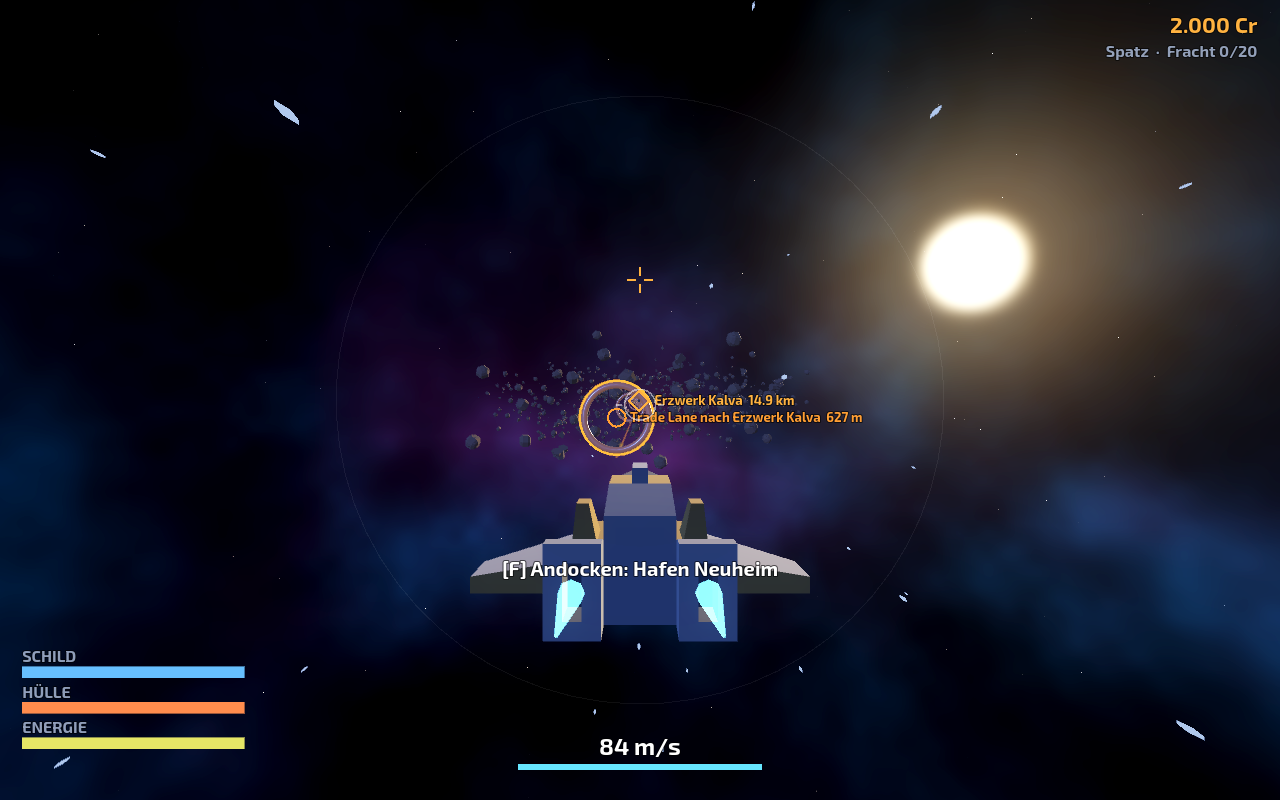
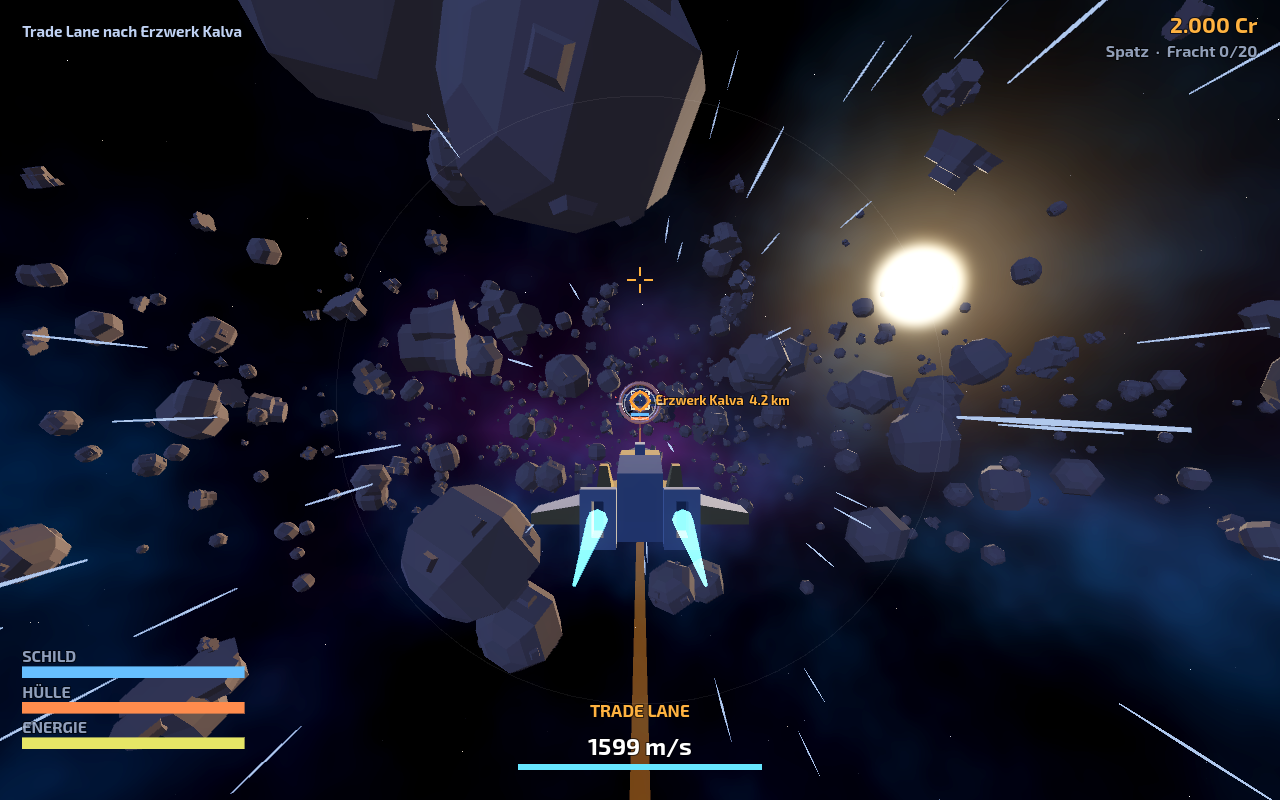
Einblicke ins Spiel
Handbuch
Erster Start
Wähle einen Pilotennamen und tritt dem Kessel-System bei. Ein Konto ist nicht nötig. Du startest im Hafen Neuheim mit einem leichten Jäger, dem Spatz, und 2.000 Credits.
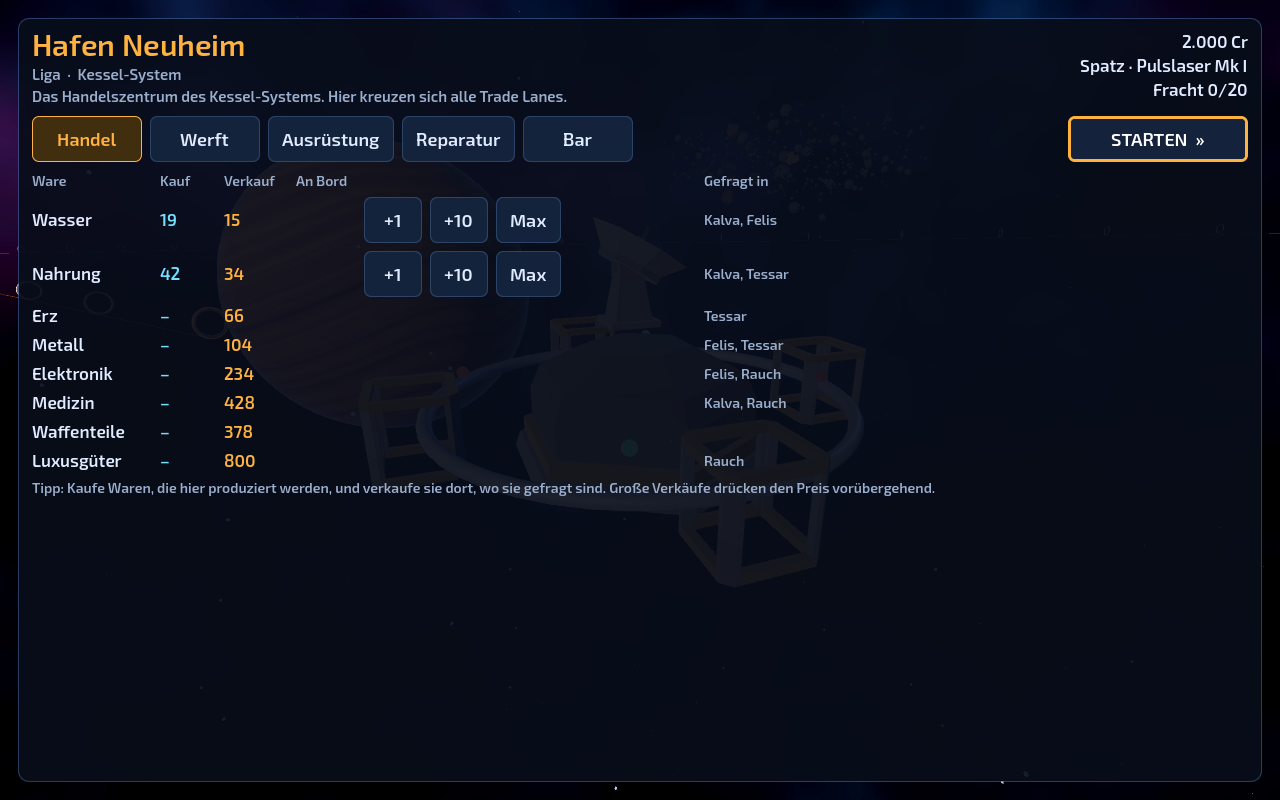
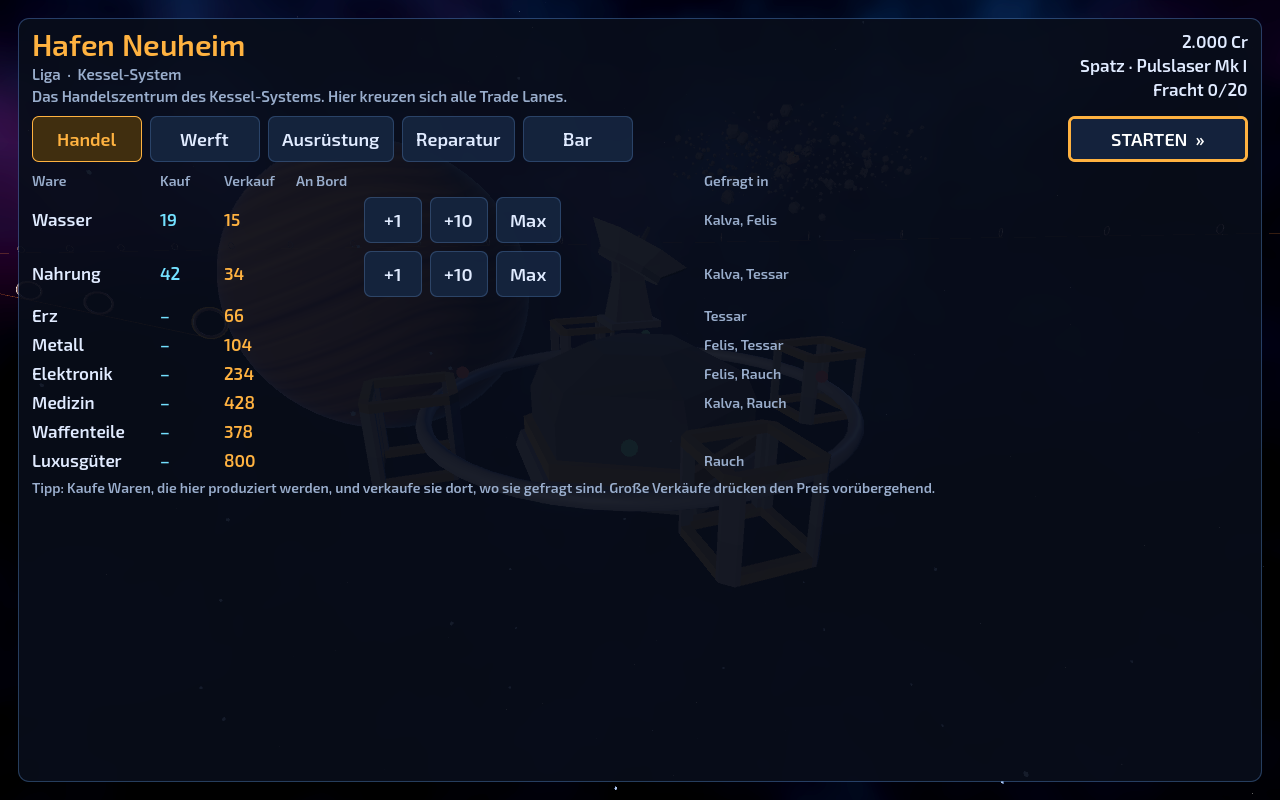
Im Hafen handelst du, kaufst Schiffe und Waffen, lässt reparieren und liest in der Bar die Nachrichten. Mit STARTEN fliegst du los.
Reisen und Trade Lanes
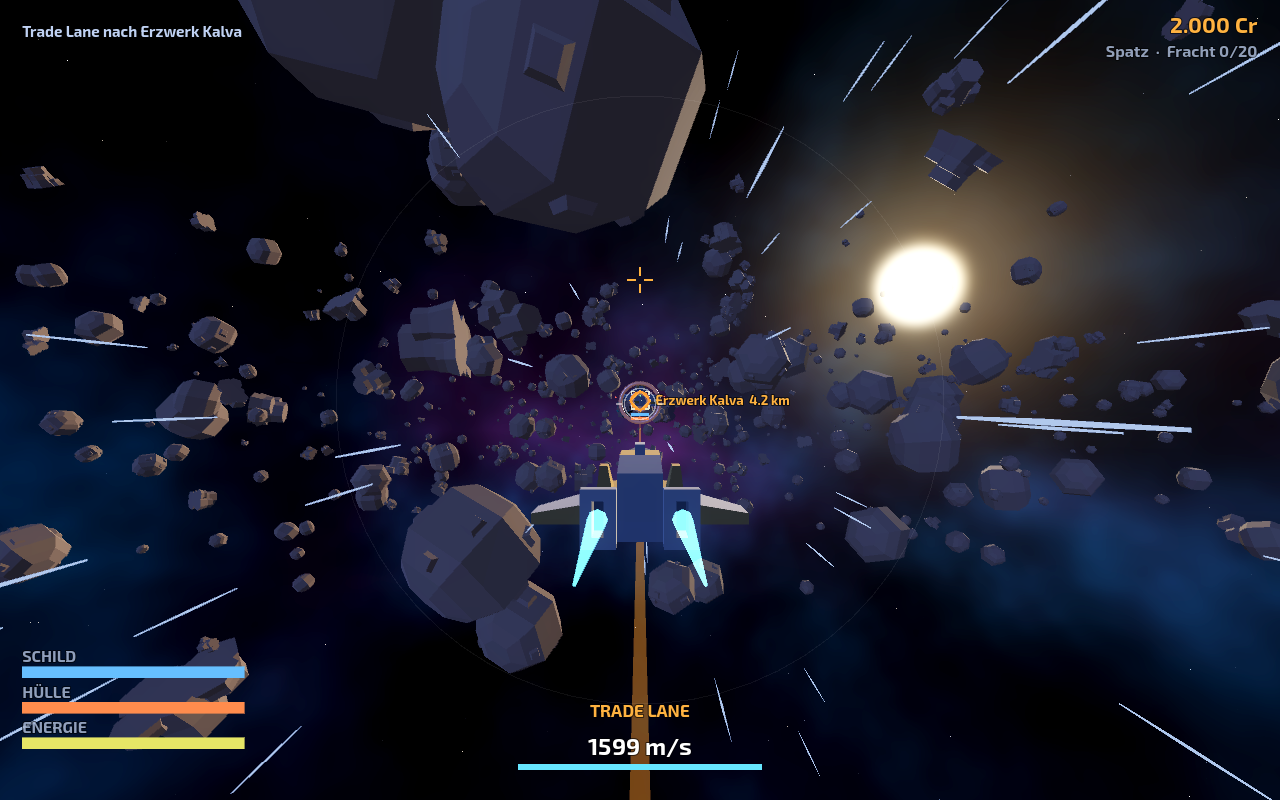
Trade Lanes verbinden die vier großen Stationen. Fliege zum ersten Ring einer Lane und drücke F (Controller: A, Touch: AKTION). Das Schiff gleitet hinein und reist mit 1.600 m/s zum Ziel.
Abseits der Lanes hilft der Reiseantrieb (C / Y / REISE). Er lädt kurz auf und bricht ab, sobald du schießt, beschleunigst oder getroffen wirst.
Der Autopilot (G / X / AUTO) fliegt zum gewählten Ziel, dockt an Stationen an und fädelt in Trade Lanes ein. Ziele wählst du mit T und R, am Controller mit dem Steuerkreuz oder auf dem Smartphone durch Antippen der Markierung.
Handel
Jede Station stellt eigene Waren her und braucht andere. Im Handelsbildschirm siehst du Kauf- und Verkaufspreis sowie unter „Gefragt in“, wo eine Ware am meisten einbringt.
Große Verkäufe drücken den Preis an der Station vorübergehend. Der Laderaum hängt vom Schiff ab, Frachter tragen deutlich mehr.
Kampf und Kopfgeld
Piraten des Rauchbunds lauern in mehreren Zonen und greifen Händler und Piloten an. Für jeden Abschuss zahlt die Liga Kopfgeld, oft bleibt Fracht im All zurück, die du durch Heranfliegen birgst.
Schilde laden sich nach einigen Sekunden ohne Treffer wieder auf, die Hülle reparierst du im Hafen. Wirst du zerstört, verlierst du die Fracht und startest an der letzten Station neu. Schiff, Waffe und Credits bleiben erhalten.
Steuerung
Maus und Tastatur: Das Schiff lenkt in Richtung Mauszeiger, linke Maustaste feuert, rechte Maustaste oder Shift zündet den Nachbrenner. W/S regeln den Schub, Q/E rollen, Leertaste schaltet den Mausflug ab. M oder F1 öffnet Menü und Tastenbelegung; im Browser-Vollbild beendet Esc das Vollbild.
Controller: Linker Stick lenkt, RT feuert, LT ist der Nachbrenner, der rechte Stick regelt Schub und Rollen. Im Hafen wechseln LB/RB die Bereiche, B springt zurück zur Leiste.
Smartphone und Tablet: Halte das Gerät quer. Links lenkt ein Steuerknüppel, rechts sitzt der Schubregler, FEUER zielt automatisch auf Feinde vor dir. Auf dem iPhone startest du über Teilen und „Zum Home-Bildschirm“ im Vollbild.
Pilot und Geräte
Dein Pilot wird auf dem Server gespeichert: Credits, Schiff, Waffe, Fracht und die Station, an der du zuletzt angedockt hast. Der Browser merkt sich eine geheime Kennung, mit der du beim nächsten Besuch weiterfliegst.
Auf einem anderen Gerät übernimmst du deinen Piloten mit einem Pilotencode: Im Hafen unter „Bar“ erzeugen, auf dem neuen Gerät im Startbildschirm unter „Pilot übernehmen“ eingeben. Der Code gilt zehn Minuten und nur einmal.
Driftlane
Trade, fight and ride trade lanes in one shared star system.
Driftlane is an open multiplayer space game in the spirit of Freelancer. All pilots share the Kessel system: trade between five stations, hunt pirates for bounties, race along trade lanes and buy better ships and weapons. Join and leave at any time; your pilot is saved.
- Players
- 1–64 pilots · open universe
- Round length
- No rounds · progress is saved
- Game modes
- Online · shared universe · German interface
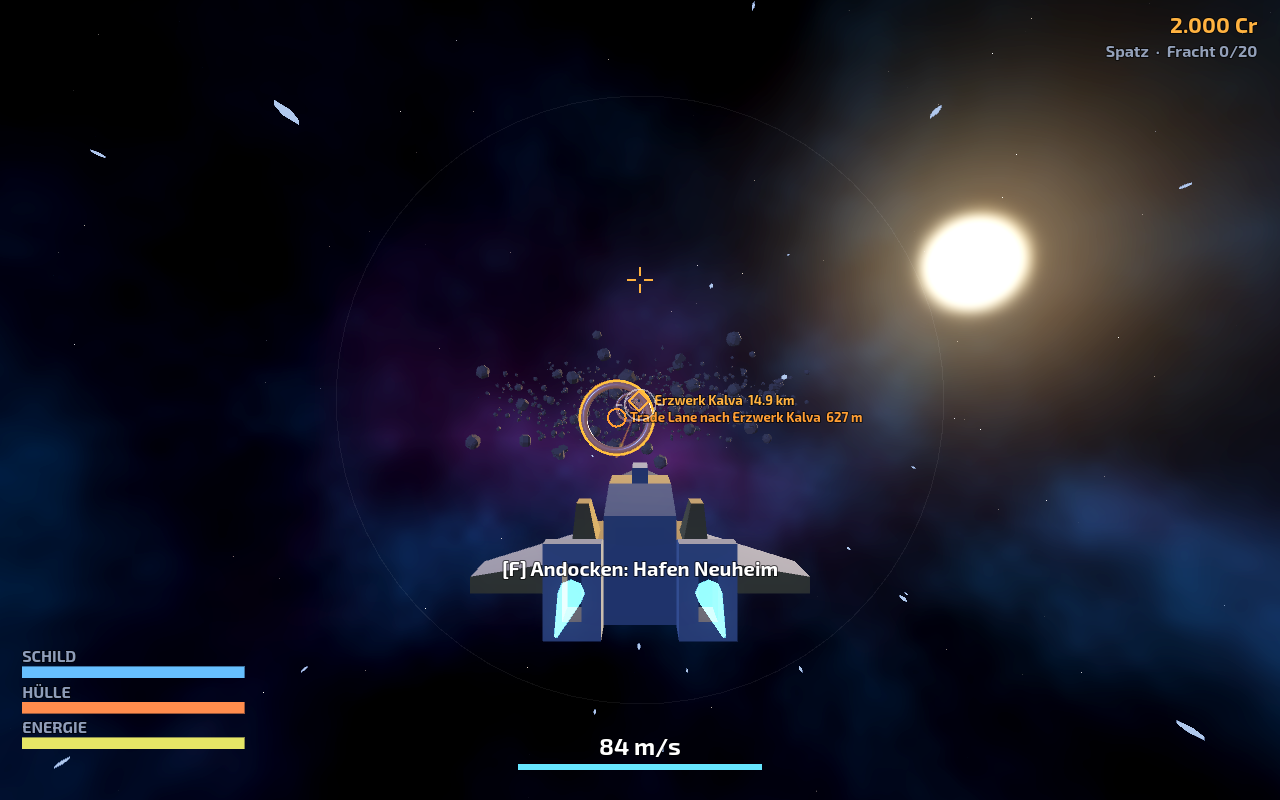
Inside the game
Game guide
First launch
Choose a pilot name and join the Kessel system. No account is needed. You start at Hafen Neuheim with a light fighter, the Spatz, and 2,000 credits.
At a station you trade, buy ships and weapons, repair your hull and read the news in the bar. STARTEN launches your ship. The game interface is in German.
Travel and trade lanes
Trade lanes connect the four major stations. Fly to the first ring of a lane and press F (controller: A, touch: AKTION). Your ship glides in and travels to the far end at 1,600 m/s.
Away from the lanes, use the cruise engine (C / Y / REISE). It charges briefly and drops out when you fire, boost or take a hit.
The autopilot (G / X / AUTO) flies to the selected target, docks at stations and lines up with trade lanes. Select targets with T and R, the d-pad on a controller, or by tapping a marker on a phone.
Trading
Every station produces its own goods and needs others. The trade screen shows buy and sell prices and, under „Gefragt in“, where a commodity is in demand.
Large sales lower a station's price for a while. Cargo space depends on your ship; freighters carry far more.
Combat and bounties
Rauchbund pirates lurk in several zones and attack traders and pilots. The Liga pays a bounty for every kill, and wrecks often leave cargo behind that you collect by flying close.
Shields recharge after a few seconds without hits; hull damage is repaired at a station. If you are destroyed, you lose your cargo and restart at your last station. Ship, weapon and credits are kept.
Controls
Mouse and keyboard: the ship steers toward the mouse cursor, left mouse fires, right mouse or Shift fires the afterburner. W/S set the throttle, Q/E roll, Space toggles mouse flight. M or F1 opens the menu and key bindings; in browser fullscreen, Esc leaves fullscreen.
Controller: left stick steers, RT fires, LT is the afterburner, the right stick sets throttle and roll. At a station, LB/RB switch sections and B returns to the tab bar.
Phone and tablet: hold the device in landscape. A stick on the left steers, a throttle slider sits on the right and FEUER aims at enemies ahead automatically. On iPhone, use Share and „Add to Home Screen“ to play in fullscreen.
Pilot and devices
Your pilot is saved on the server: credits, ship, weapon, cargo and the station you last docked at. Your browser keeps a secret key so you continue on your next visit.
To continue on another device, use a pilot code: create it at a station under „Bar“, then enter it on the new device under „Pilot übernehmen“ on the start screen. The code is valid for ten minutes and works once.